Customers repeatedly ask for the same updates
Your team spends time answering routine questions about project status, documents, invoices or next steps.
Client portal development services
We design and develop responsive client portals for service businesses, agencies, SaaS platforms and other organisations that need a secure space for customer access. From projects, documents and invoices to requests, messages and account details, every portal is organised around the information and actions your clients use most—helping your team reduce repetitive communication while improving the customer experience.
We help businesses replace scattered communication and file-sharing processes with secure client portals that centralise information, actions and updates in one organised experience.
Your team spends time answering routine questions about project status, documents, invoices or next steps.
Important documents may be difficult to locate, incorrectly shared or disconnected from the related project or request.
Customers may submit information through email but have no clear view of whether it was received, reviewed or completed.
Contact details, preferences, subscriptions, services and billing information may require support intervention for routine changes.
Messages, approvals and comments can become separated from the project, document or workflow they relate to.
Each customer, company, team member or partner may require access to different records, files and actions.
Complete client portal delivery
The final scope is shaped around your clients, services, data, workflows and integrations. The modules below show what a complete client-portal project can include.
Clarification of the client groups, current communication process, information needs, required actions and internal workflow.
Planning the portal structure, account model, projects, documents, requests, permissions and integrations.
Design of the client dashboard, project views, file access, messages, forms, settings and account states.
Development of the portal interface, database operations, workflows, validations and approved business rules.
Secure sign-in, password recovery, account access and role-based visibility for clients, staff and administrators.
Structured customer requests, comments, status updates and approved email or in-app notifications.
Connection with approved CRM, billing, storage, project-management or other relevant systems.
Quality checks, production deployment, environment configuration and agreed training or documentation.
Featured client portal project
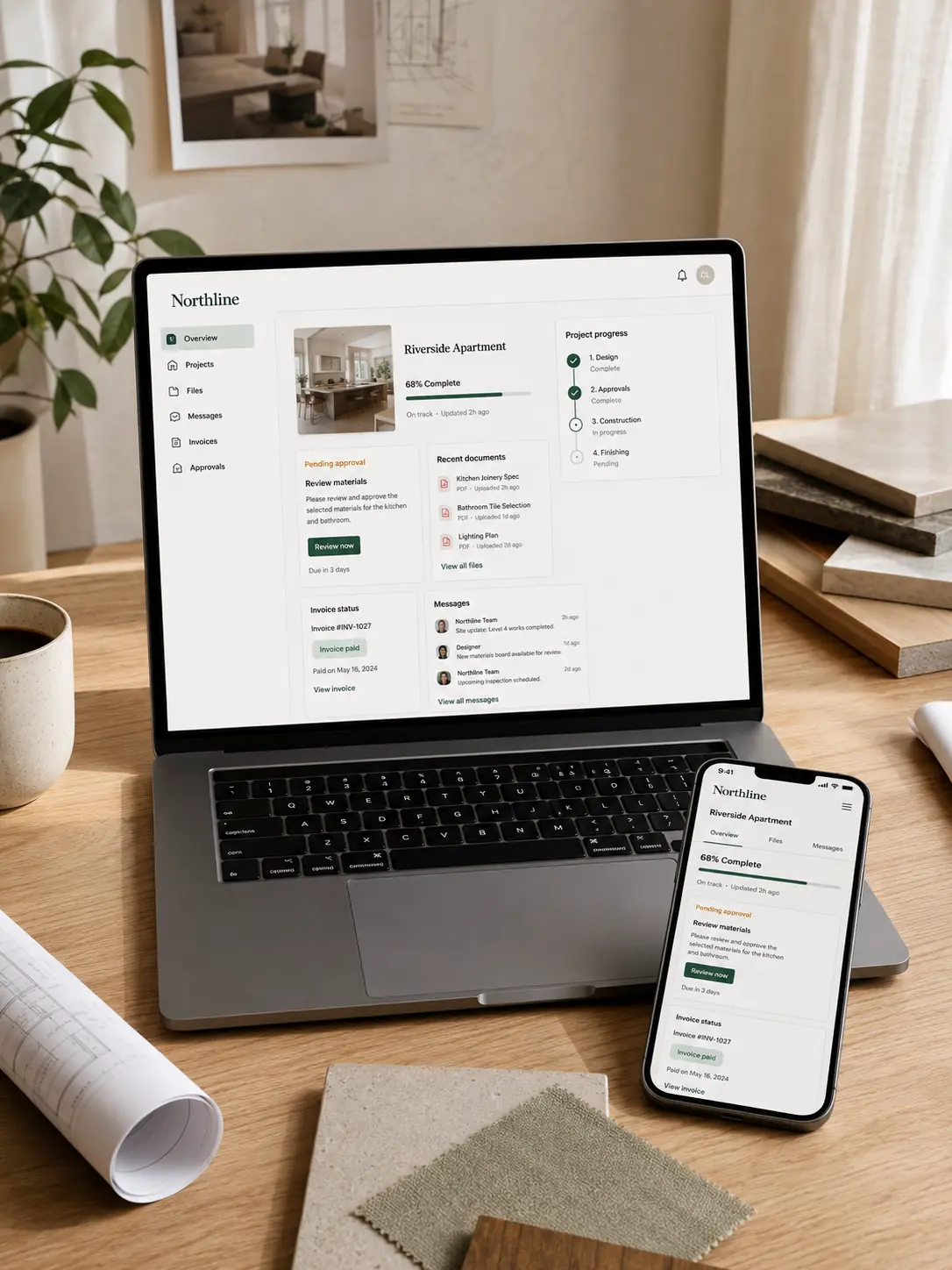
See how Northline simplified renovation communication by giving clients direct access to progress, approvals, documents, messages and billing information.
Residential Renovation Platform
Northline needed a simpler way for homeowners and project teams to stay informed throughout long-running renovation projects.
Frequently Asked Questions
These answers clarify the scope, integrations, access models and delivery process before a proposal request.
A client portal is a secure online space where customers can access account information, projects, documents, requests, invoices, messages and other services related to their relationship with a business.
A website usually provides public information. A client portal requires secure login and provides customer-specific data, files and actions.
Yes. A client portal can be developed alongside an existing website or connected to an existing backend, database or API where the technical environment supports it.
Yes. Clients, companies, team members and internal staff can receive different access according to the approved permission model.
Yes. Secure file upload, categorisation, access control and download workflows can be included where suitable storage is available.
Yes. Project milestones, service status, deliverables, pending actions and timelines can be included.
Yes. Structured request forms, status tracking, comments and notifications can be included.
Yes. Invoice access, payment status, subscriptions and payment integrations can be included where supported by the selected systems.
Yes. Contextual messages, comments and notifications can be included according to the communication workflow.
Core client-portal functions can be developed responsively for relevant desktop, tablet and mobile screen sizes.
Security can include authentication, role-based access, account isolation, validation, secure file access and other controls relevant to the project scope.
Yes, provided the existing tool offers suitable APIs, webhooks or supported integration methods.
The timeline depends on the number of modules, user roles, integrations, workflows, files and review cycles. A realistic plan is provided after scope confirmation.
Code ownership, third-party licences, repository access and handover terms should be clearly stated in the commercial agreement.
Yes. Maintenance, bug fixes, new features and technical improvements can be provided through a separate support arrangement.
Plan a better client experience
Share your current communication process, portal users, required modules, existing tools and expected timeline. We will review the requirement and recommend a practical discovery or development scope.
Provide a few details about your customers, services and required portal features, and we will respond with the most suitable next step.