Each department uses a separate system
Sales, operations, finance, inventory and management may work from different tools with no reliable information flow between them.
Custom ERP development services
We design and develop modular ERP platforms that connect departments, records, approvals, inventory, finance, reporting and recurring workflows in one central system. Every module is shaped around your users, responsibilities and operational rules—helping your organisation replace disconnected spreadsheets and manual handoffs with a clearer, more reliable business platform.
We help businesses replace fragmented processes with custom ERP platforms designed around defined departments, records, approvals and reporting requirements.
Sales, operations, finance, inventory and management may work from different tools with no reliable information flow between them.
The same customer, order, invoice or inventory information may be copied across spreadsheets and applications, increasing errors and wasted effort.
Purchase requests, payments, expenses and operational decisions may have no consistent approval path or status visibility.
Reports often require manual consolidation because business information is spread across different teams and file formats.
Users may understand their own task but lack visibility into earlier stages, pending approvals or downstream impact.
Generic software may force your teams into unnecessary modules while still failing to support the workflows that make your business unique.
Complete ERP delivery
The final scope is shaped around your departments, records, users, approvals, integrations and reporting needs. The modules below show what a complete custom ERP project can include.
Clarification of the teams, current tools, workflows, records, approvals, pain points and expected business outcomes.
Planning the module structure, data relationships, permissions, statuses, integrations and technical approach.
Responsive interface design for dashboards, forms, records, tables, approvals, reports and role-specific views.
Development of ERP modules, database operations, validations, calculations and approved business rules.
Secure sign-in, department-based access and configurable approval paths for managers, staff and administrators.
Automation of approved handoffs, reminders, status changes and other recurring operational actions.
Connection with approved accounting, payment, CRM, storage, email or other operational systems.
Operational reporting, role-based dashboards, exports, status history and audit visibility where required.
Featured ERP project
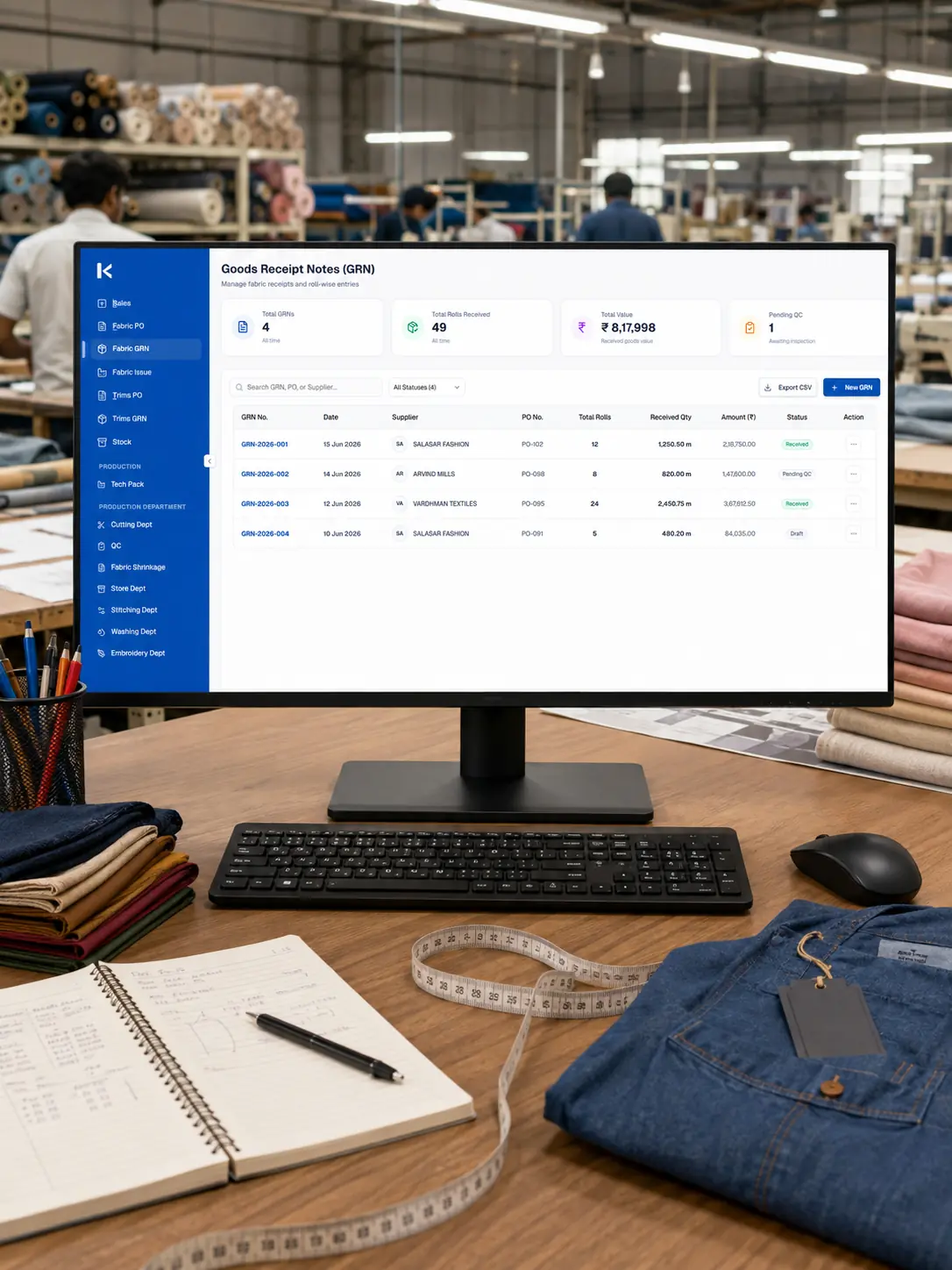
See how ZAAB Fashion replaced disconnected factory records with a custom ERP for managing materials, production departments, quality checks and operational reporting.
ZAAB Fashion
ZAAB Fashion needed a central platform that could follow materials from purchase and receipt through cutting, stitching, washing, embroidery and final quality inspection.
Frequently Asked Questions
These answers clarify the scope, modules, data migration and delivery process before a proposal request.
A custom ERP is a business management platform developed around specific departments, records, workflows, approvals and reporting needs.
Off-the-shelf ERP products provide predefined modules and workflows. A custom ERP is shaped around the processes, roles and integrations of a specific organisation.
Modules may include CRM, sales, procurement, inventory, finance, HR, projects, assets, service management, documents and reporting.
Yes. Users and data can be organised by department, branch, location, project or business unit according to the approved access model.
Yes. A focused module can be developed first and expanded later if the data model and architecture are planned appropriately.
Yes, provided the existing systems offer suitable APIs, webhooks or supported integration methods.
Yes. Data migration can be included after reviewing the structure, quality and volume of the existing records.
Yes. Approval paths, reminders, assignments, status changes and notifications can be included according to defined business rules.
Core ERP functions can be developed responsively for relevant desktop, tablet and mobile screen sizes. Complex tables may use adapted mobile layouts.
Security can include authentication, role-based access, department restrictions, validation, secure data handling, backups and activity logs according to the project scope.
No system can anticipate every future requirement. We design modular architecture around the approved scope and support future improvements as the organisation evolves.
The timeline depends on the number of modules, users, workflows, integrations, migration requirements and review cycles. A realistic plan is provided after discovery and scope confirmation.
Code ownership, third-party licences, repository access and handover terms should be clearly stated in the commercial agreement.
Yes. Maintenance, bug fixes, new modules, integration updates and workflow improvements can be provided through a separate support arrangement.
Plan your custom ERP
Share your current tools, teams, required modules, approval processes, integration needs and expected timeline. We will review the requirement and recommend a practical discovery or development scope.
Provide a few details about your departments, workflows and existing systems, and we will respond with the most suitable next step.