Siloed business data
Important information is trapped across different tools, requiring manual exports to build a complete picture.
Workflow Automation Services
We design and build custom workflow automations and API integrations that connect your disconnected software, eliminate repetitive tasks, and let your team focus on high-value work.
We help businesses replace fragile spreadsheets and manual workflows with robust, automated pipelines that connect your existing software stack.
Important information is trapped across different tools, requiring manual exports to build a complete picture.
Critical workflows depend on manual approvals or data entry, slowing down service delivery and fulfillment.
Manual data handling leads to costly mistakes, missed details, and unreliable reporting across departments.
The deliverables
We don't use rigid off-the-shelf connectors. We engineer robust, custom pipelines tailored to your specific business rules and data requirements.
Custom-coded connections between your core tools (HubSpot, Salesforce, Xero, etc.) using reliable webhooks and REST APIs.
Advanced branching logic that automatically routes data, triggers alerts, and updates statuses based on complex business rules.
Clear dashboards to track automation health, view run histories, and instantly flag integration errors before they impact operations.
Scalable, serverless infrastructure designed to handle high-volume data processing securely and efficiently.
Featured Automation Build
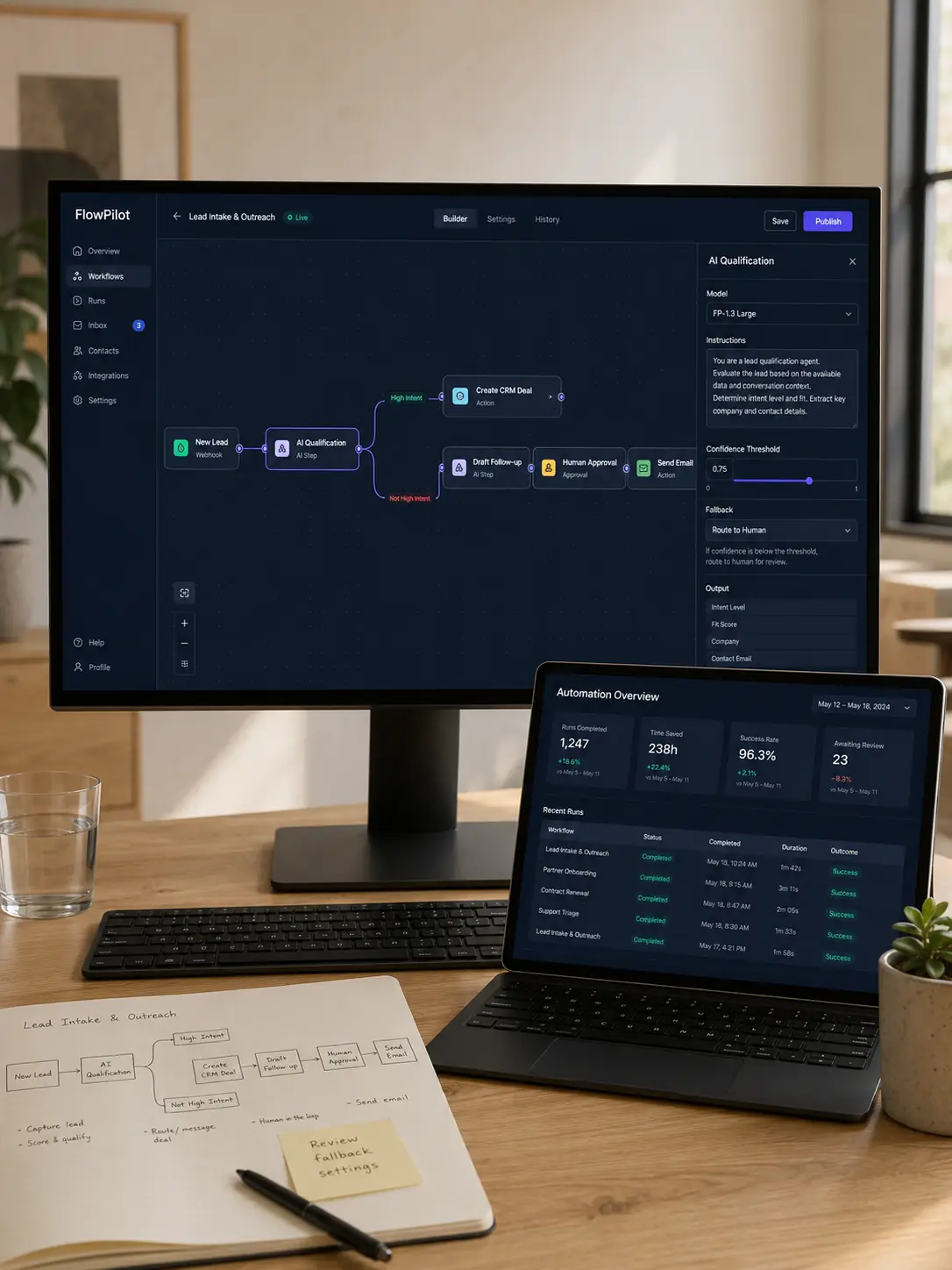
See how FlowPilot connected lead capture, AI qualification, CRM updates and personalised follow-ups in one controlled automation workflow.
FlowPilot Lead Intake & Outreach
We created an AI-assisted workflow that evaluates new enquiries, identifies high-intent prospects, creates CRM opportunities and prepares relevant follow-up messages for team approval.
Frequently Asked Questions
These answers clarify the scope, integrations, and operational requirements before requesting an automation proposal.
We can integrate with virtually any system that has an API (REST, GraphQL, or SOAP) or supports webhooks. This includes common tools like Salesforce, HubSpot, Stripe, Xero, and legacy on-premise databases.
We typically build custom Node.js/Python middleware for enterprise operations because it provides total control, reliability, and security without volume-based pricing limits. However, we can use Zapier or Make if it better fits a smaller use case.
All of our custom automations include robust error handling, automated retries, and logging. If an external API goes down, the system queues the data and alerts your team automatically.
Yes. We use advanced Document Processing and OCR AI models to automatically extract structured data from invoices, forms, and PDFs, routing the data directly into your ERP or CRM.
Most automation projects range from 3 to 8 weeks depending on the complexity of the business rules and the quality of the external APIs we are connecting to.
Start your business website
Tell us about your company, required pages, existing website and functionality. We will reply with a recommended development approach, estimated timeline and scope.
Complete the form and we will respond within one business day.
Ready to automate manual tasks and connect your core systems? Let's discuss your workflows and define a secure technical architecture.
Get an Automation Proposal ↗